LangChain Explained: Models, Prompts, Chains, Memory, Indexes and Agents
Expert-level deep dive: LangChain Explained: Understanding Models, Prompts, Chains, Memory, Indexes, and Agents

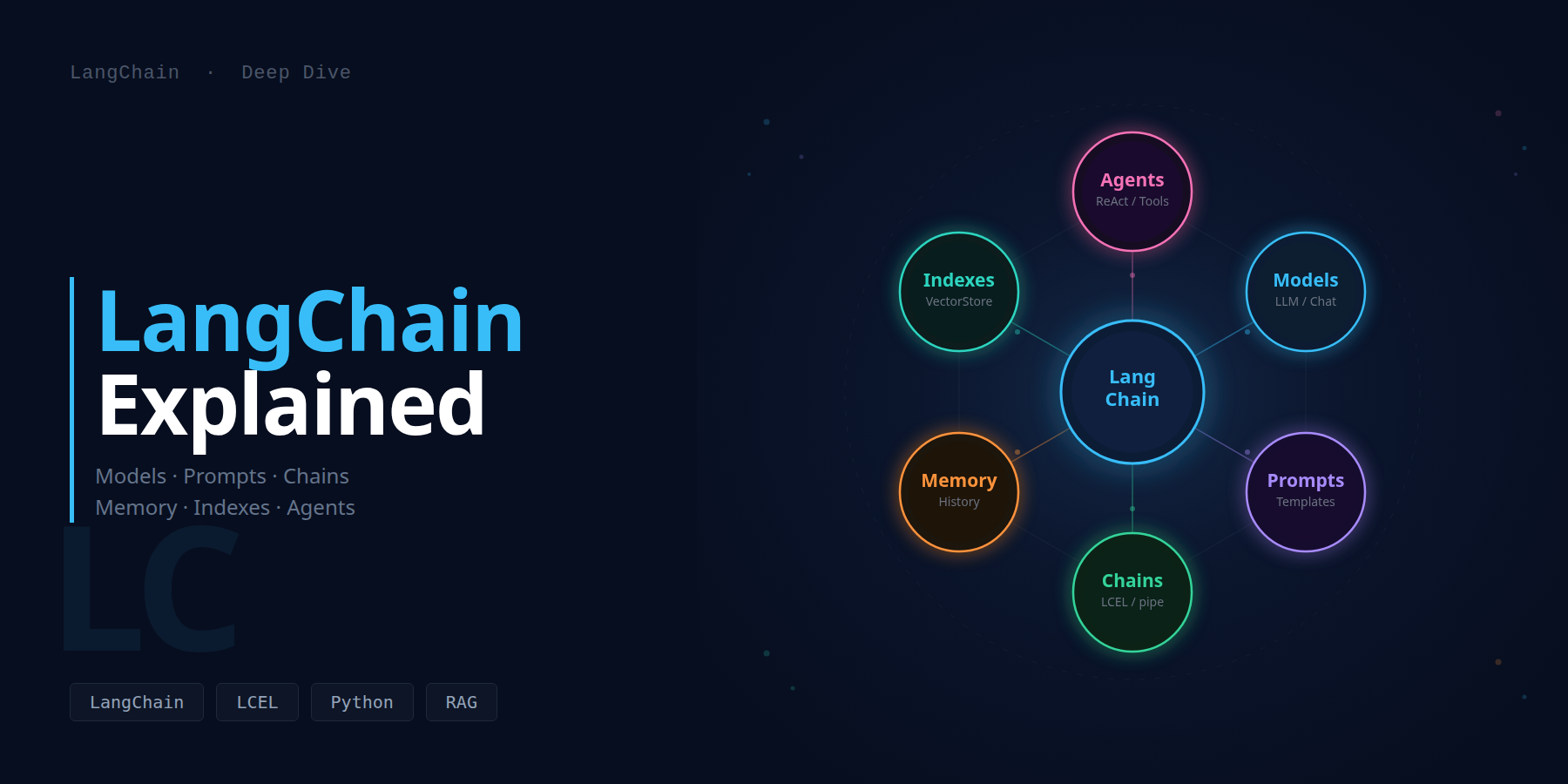
LangChain Explained
Models, Prompts, Chains, Memory, Indexes & Agents
The definitive guide to every LangChain abstraction - from the first ChatOpenAI call to a fully stateful, retrieval-augmented, tool-using agent. Every concept backed by official docs, every section with working code and a visual diagram you can read at a glance.
🗺️The 6 Building Blocks
LangChain is not a library in the traditional sense - it is a composition framework for building applications on top of language models. Its design philosophy is deliberate: every capability is encapsulated in a standalone abstraction that implements a single unified interface called Runnable. This means you can combine any two components with a pipe operator and get streaming, batching, async execution, and observability for free.
Before LangChain (and similar frameworks), building an LLM application required gluing together HTTP clients, prompt string manipulation, ad-hoc retry logic, and custom output parsers - all bespoke per provider. LangChain abstracts this complexity behind six orthogonal building blocks. Each block can be used independently, and they compose naturally into arbitrarily complex pipelines.
The six blocks are not arbitrary. They map directly to the logical layers of any LLM application: the model itself, the instructions given to the model, the pipeline connecting them, the state kept between interactions, the external knowledge base, and the decision-making loop that determines what to do next. Every LangChain application you will ever build is some combination of these layers.
Models
Unified interface to LLMs, chat models, and embedding models. Swap providers with one line of code.
Prompts
Reusable templates that inject variables, few-shot examples, and role instructions into messages.
Chains
Composable pipelines built with the | pipe operator. Input flows deterministically through each step.
Memory
Persistent conversation state between turns - from full buffer to summarized or vectorized history.
Indexes
Document loaders, text splitters, vectorstores, and retrievers for external knowledge bases.
Agents
Autonomous loops that decide which tools to call, observe results, and iterate until the goal is met.
LangChain 0.3 package split: The framework is now split across focused packages. langchain-core contains base types, LCEL, and the Runnable protocol. langchain contains chains, agents, and memory abstractions. langchain-community contains third-party integrations (loaders, vectorstores, model providers). Provider-specific packages (langchain-openai, langchain-anthropic, langchain-ollama) are maintained independently and have their own release cadence. Always import from the most specific package to minimize dependency footprint and ensure you get the latest provider-specific fixes.
The key architectural insight in LangChain is that the Runnable interface is universal. Every object - a prompt template, a chat model, a retriever, a parser - implements .invoke(), .stream(), .batch(), and their async counterparts. This uniformity is what makes the pipe operator work: you are not doing string concatenation or ad-hoc glue code, you are composing objects that share a contract. When you add a new step to a chain, you gain streaming, batching, and tracing automatically, with no additional work.
🧠Models: LLMs, Chat Models and Embeddings
The Model layer is where LangChain connects to actual intelligence. It wraps every major language model provider behind a consistent Python interface so that the rest of your application does not care whether it is talking to GPT-4o, Claude 3.5, Gemini 1.5 Pro, or a local Llama 3.2 running via Ollama. You change one line - the model initialization - and the entire pipeline continues to work.
LangChain 0.3 defines three distinct model types. They differ in their input contract, output type, and intended use case. Understanding when to use each is fundamental to writing idiomatic LangChain code.
# Core + the most common providers
pip install langchain langchain-openai langchain-core
pip install langchain-anthropic langchain-google-genai langchain-groq
pip install langchain-ollama   # local models, no API key
ollama pull llama3.2           # download the model weights
All modern LangChain applications use Chat Models. They accept a list of typed message objects and return a single AIMessage. The message types are not cosmetic - they map to distinct roles in the conversation that the model was trained to respond to differently. A SystemMessage sets the persona and constraints; a HumanMessage carries the user input; an AIMessage is a previous model turn; a ToolMessage carries the result of a tool call back to the model.
from langchain_openai import ChatOpenAI
from langchain_anthropic import ChatAnthropic
from langchain_ollama import ChatOllama
from langchain_core.messages import (
    HumanMessage, SystemMessage, AIMessage, ToolMessage
)

# Provider-agnostic: same interface, different backends
llm = ChatOpenAI(model="gpt-4o-mini", temperature=0)
# llm = ChatAnthropic(model="claude-sonnet-4-6")
# llm = ChatOllama(model="llama3.2", temperature=0)

messages = [
    SystemMessage(content="You are a concise Python expert."),
    HumanMessage(content="What is a generator function?"),
]
response = llm.invoke(messages)
print(response.content)           # the answer string
print(response.usage_metadata)    # {"input_tokens": 24, "output_tokens": 87, ...}
print(response.response_metadata) # model name, finish reason, etc.

# Streaming: yield one token at a time
for chunk in llm.stream(messages):
    print(chunk.content, end="", flush=True)

# Async for FastAPI / async frameworks
# response = await llm.ainvoke(messages)
# async for chunk in llm.astream(messages): ...

# Batch: parallel invocations (uses asyncio internally)
batch_results = llm.batch([
    [HumanMessage(content="Explain RAG")],
    [HumanMessage(content="Explain CRAG")],
])
You frequently need to attach extra parameters to a model without creating a new instance. The .bind() method returns a new Runnable with those parameters locked in. The .with_config() method attaches runtime configuration like tags, metadata, or a custom run_name for tracing. These two methods are how you specialize a model for a particular step in a chain without breaking the interface contract.
# Force JSON output at the decoding level
json_llm = llm.bind(response_format={"type": "json_object"})

# Stop generation at a specific token sequence
stop_llm = llm.bind(stop=["END", "DONE"])

# Tag this step in LangSmith traces
traced_llm = llm.with_config(run_name="classification-step")

# .with_structured_output: validates output against a Pydantic model
from pydantic import BaseModel

class Sentiment(BaseModel):
    label: str    # "positive" | "negative" | "neutral"
    score: float  # 0.0 to 1.0

structured_llm = llm.with_structured_output(Sentiment)
result: Sentiment = structured_llm.invoke(
    "LangChain makes building LLM apps much faster."
)
print(result.label, result.score)  # positive  0.95
Embedding models convert text into dense vectors of floating-point numbers. These vectors encode semantic meaning: texts with similar meanings produce vectors that are close to each other in high-dimensional space, as measured by cosine similarity or dot product. This property is what powers semantic search in RAG systems. LangChain's embedding interface has two methods: .embed_query() for a single string (your search query) and .embed_documents() for a list of strings (your knowledge base).
from langchain_openai import OpenAIEmbeddings
from langchain_community.embeddings import HuggingFaceEmbeddings
import numpy as np

# OpenAI: 1536 dims, $0.02 per 1M tokens, best quality
openai_emb = OpenAIEmbeddings(model="text-embedding-3-small")

# Local: 384 dims, free, runs on CPU, good for dev/offline
local_emb  = HuggingFaceEmbeddings(
    model_name="sentence-transformers/all-MiniLM-L6-v2"
)

query_vec = openai_emb.embed_query("What is a vector database?")
doc_vecs  = openai_emb.embed_documents([
    "A vector database stores embedding vectors.",
    "Python is a programming language.",
])

# Manual cosine similarity (vectorstores do this for you)
q = np.array(query_vec)
sims = [np.dot(q, np.array(d)) / (np.linalg.norm(q) * np.linalg.norm(np.array(d))) for d in doc_vecs]
print(sims)  # [0.87, 0.12] - first doc is far more relevant
Embedding model consistency: You must use the same embedding model for both indexing and querying. If you index documents with text-embedding-3-small (1536 dims), you must also embed the query with text-embedding-3-small. Mixing models produces incompatible vector spaces and completely meaningless similarity scores. Document this constraint explicitly in your project's README - this is one of the most common production bugs in RAG systems.
| Model type | Input | Output | Primary use | Key class |
|---|---|---|---|---|
| LLM (legacy) | str | str | Text completion | OllamaLLM |
| ChatModel | List[BaseMessage] | AIMessage | Conversational, tool use | ChatOpenAI |
| Embeddings | str / List[str] | List[float] | Semantic search, RAG | OpenAIEmbeddings |
📝Prompts: Templates, Variables and Few-Shot Examples
A prompt is not just a string you pass to a model. In a production LangChain application, a prompt is a parameterized template that gets instantiated differently on every call. The Prompts abstraction separates two concerns that are easy to conflate: the structure of your prompt (which role says what, in what order, with what instructions) from the runtime values (the user query, the retrieved context, the conversation history). This separation is what makes prompts reusable, testable, and composable.
LangChain provides several prompt classes, each suited to a different situation. Understanding which to use and when is the difference between a brittle one-off script and a maintainable production system.
PromptTemplate is the simplest form: a single string with named placeholders in curly braces. It is primarily used with legacy LLM objects that accept strings. The .from_template() class method auto-detects the variables; alternatively, you can pass input_variables explicitly for clarity.
from langchain_core.prompts import PromptTemplate

# Auto-detect variables from the template string
template = PromptTemplate.from_template(
    "Summarize this text in {num_sentences} sentences:\n\n{text}"
)
print(template.input_variables)  # ['num_sentences', 'text']

formatted: str = template.format(
    num_sentences=2,
    text="LangChain is a framework for building LLM-powered applications...",
)

# Partial application: fix some variables now, supply rest later
partial_template = template.partial(num_sentences=3)
# Only {text} remains - useful for dependency injection in a chain
formatted2 = partial_template.format(text="Some other text...")
ChatPromptTemplate constructs a list of role-tagged messages. It is the correct choice for any Chat Model, and that means virtually every modern application. The most common pattern uses a tuple shorthand - ("system", "...") and ("human", "...") - which is automatically converted to the appropriate message types. You can also mix tuple shorthand with actual message objects, which is necessary when you need to inject a MessagesPlaceholder for dynamic history or tool calls.
from langchain_core.prompts import ChatPromptTemplate, MessagesPlaceholder

# Tuple shorthand: automatically converts to SystemMessage, HumanMessage
chat_prompt = ChatPromptTemplate.from_messages([
    ("system", "You are a {role}. Respond in {language}. Be {style}."),
    ("human",  "{question}"),
])
messages = chat_prompt.format_messages(
    role="senior platform engineer",
    language="English",
    style="concise",
    question="What is a Kubernetes Deployment?",
)

# MessagesPlaceholder: slot for a dynamic list of messages at runtime
# This is the standard pattern for injecting conversation history
with_history = ChatPromptTemplate.from_messages([
    ("system", "You are a helpful assistant."),
    MessagesPlaceholder(variable_name="history"),  # injected at runtime
    ("human", "{question}"),
])

# Use .invoke() instead of .format_messages() when inside a chain
# The chain automatically calls .invoke() with the input dict
Few-shot prompting is one of the most reliable techniques for improving LLM output quality on structured tasks. By providing input/output examples before the real question, you show the model the exact format and reasoning style you expect. LangChain's FewShotChatMessagePromptTemplate manages a list of examples and injects them as actual message turns, which is more effective than embedding examples as plain text in a system message - the model sees real role-tagged examples it can pattern-match against.
from langchain_core.prompts import (
    FewShotChatMessagePromptTemplate,
    ChatPromptTemplate,
)

examples = [
    {"input": "I love this product!",   "output": "positive"},
    {"input": "This is broken junk.",    "output": "negative"},
    {"input": "It arrived on Tuesday.", "output": "neutral"},
]
example_prompt = ChatPromptTemplate.from_messages([
    ("human", "{input}"),
    ("ai",    "Sentiment: {output}"),
])
few_shot = FewShotChatMessagePromptTemplate(
    examples=examples,
    example_prompt=example_prompt,
)
final_prompt = ChatPromptTemplate.from_messages([
    ("system", "Classify the sentiment of the input as positive, negative, or neutral."),
    few_shot,       # 3 example turns injected here
    ("human", "{input}"),
])
# The LLM receives 7 messages: system + 3 pairs + current human
Static example lists have a fundamental problem: for large example sets, you cannot inject all of them (token limits), but you want the most relevant ones for each query. SemanticSimilarityExampleSelector solves this by embedding your examples in a vectorstore and retrieving the k most similar ones for each runtime query. This gives you dynamic few-shot prompting that scales to hundreds of examples without ever exceeding token budgets.
from langchain_core.example_selectors import SemanticSimilarityExampleSelector
from langchain_chroma import Chroma
from langchain_openai import OpenAIEmbeddings

# Build selector from a large pool of examples
selector = SemanticSimilarityExampleSelector.from_examples(
    examples,                     # list of {"input": ..., "output": ...}
    OpenAIEmbeddings(),            # embeds input for similarity search
    Chroma,                       # vectorstore backend
    k=3,                          # return 3 most similar examples
)

# At runtime, selects the 3 examples most similar to the current input
selected = selector.select_examples({"input": "This works great!"})
# Returns the 3 positive-leaning examples from your pool

few_shot_dynamic = FewShotChatMessagePromptTemplate(
    example_selector=selector,    # replaces the static examples= list
    example_prompt=example_prompt,
)
Hub prompts: LangChain Hub (hub.langchain.com) hosts community-maintained prompts for common tasks. Pull a prompt with hub.pull("hwchase17/react") - it returns a fully formed ChatPromptTemplate you can use directly or extend. For agent applications, the Hub ReAct prompts are battle-tested and maintained by the core team. Always pin a specific commit hash in production: hub.pull("hwchase17/react:abc123") to prevent silent updates from changing your agent behavior.
⛓️Chains: LCEL and the Pipe Operator
LangChain Expression Language (LCEL) is the composition layer that replaced the legacy LLMChain and SequentialChain classes introduced in 2022. LCEL's central innovation is reducing composition to a single operator: |. When you write prompt | llm | parser, you are not concatenating strings or running code - you are declaring a lazy computation graph. The graph only executes when you call .invoke(), .stream(), or .batch() on it. This laziness is what gives LCEL its superpower: the entire execution plan is known before any code runs, so streaming, parallelism, and tracing can be applied uniformly without any per-component opt-in.
Understanding LCEL deeply means understanding the Runnable protocol. Every LCEL component - prompt template, chat model, retriever, output parser, lambda function - implements exactly four synchronous and four asynchronous methods. The | operator works because __or__ on a Runnable returns a new RunnableSequence object that chains the two operands. This is pure Python operator overloading, not magic. The output type of the left operand must be compatible with the input type of the right operand.
from langchain_openai import ChatOpenAI
from langchain_core.prompts import ChatPromptTemplate
from langchain_core.output_parsers import StrOutputParser

prompt = ChatPromptTemplate.from_messages([
    ("system", "You are a helpful assistant."),
    ("human",  "{question}"),
])
llm    = ChatOpenAI(model="gpt-4o-mini", temperature=0)
parser = StrOutputParser()

chain = prompt | llm | parser       # declares the graph (no execution yet)

answer  = chain.invoke({"question": "What is LCEL?"})      # sync, returns str
answers = chain.batch([                                       # parallel, returns List[str]
    {"question": "Explain RAG"},
    {"question": "Explain CRAG"},
])
for chunk in chain.stream({"question": "What is a vector?"}):  # streaming
    print(chunk, end="", flush=True)
The LCEL ecosystem provides several Runnable combinators beyond the basic pipe. Each solves a specific composition problem. RunnableParallel runs multiple chains on the same input simultaneously, collecting results in a dict. RunnablePassthrough passes input unchanged - essential for preserving the original question when a retriever transforms it. RunnableLambda wraps any Python function as a chain step. RunnableAssign merges new keys into the input dict without discarding existing ones. RunnableRetry automatically retries a step on exception with configurable back-off.
from langchain_core.runnables import (
    RunnableParallel, RunnablePassthrough,
    RunnableLambda, RunnableRetry,
)

# RunnableParallel: run two chains concurrently on the same input
parallel = RunnableParallel(
    summary   = summarise_prompt | llm | parser,
    sentiment = sentiment_prompt | llm | parser,
    original  = RunnablePassthrough(),          # preserve input unchanged
)
result = parallel.invoke({"text": "LangChain is great!"})
# {"summary": "...", "sentiment": "positive", "original": {"text": "..."}}

# RunnableLambda: wrap any Python function
uppercase = RunnableLambda(lambda x: x.upper())
noisy_chain = prompt | llm | parser | uppercase

# RunnableRetry: retry on rate-limit errors with exponential back-off
resilient_llm = llm.with_retry(
    retry_if_exception_type=(Exception,),
    stop_after_attempt=3,
    wait_exponential_jitter=True,
)
chain = prompt | resilient_llm | parser

# RunnableConfig: attach tracing metadata to an invocation
chain.invoke(
    {"question": "Hello"},
    config={"run_name": "greet-user", "tags": ["prod", "v2"]},
)
Production LLM applications need fallback strategies: if the primary model is rate-limited or unavailable, automatically retry with a cheaper or alternative model. LCEL implements this with .with_fallbacks(), which wraps any Runnable to try alternatives in order when the primary raises an exception. This is far more robust than try/except blocks scattered throughout your code.
from langchain_openai import ChatOpenAI
from langchain_anthropic import ChatAnthropic
from langchain_ollama import ChatOllama

primary   = ChatOpenAI(model="gpt-4o")
backup    = ChatAnthropic(model="claude-haiku-4-5-20251001")
emergency = ChatOllama(model="llama3.2")      # local, always available

# On exception from primary, tries backup, then emergency
robust_llm = primary.with_fallbacks([backup, emergency])

chain = prompt | robust_llm | parser
# If gpt-4o throws RateLimitError, Claude is tried automatically
| Method | Sync | Returns | Best for |
|---|---|---|---|
| .invoke(input) | Yes | Single output | Scripts, one-off calls |
| .ainvoke(input) | No | Single output (awaitable) | FastAPI endpoints |
| .stream(input) | Yes | Iterator of chunks | CLI streaming output |
| .astream(input) | No | AsyncIterator | SSE endpoints |
| .batch(inputs) | Yes | List of outputs | Bulk processing |
| .astream_events() | No | Event stream | Fine-grained UI updates |
💾Memory: Conversation State Management
Language models are stateless by design. Each call to .invoke() is completely independent - the model has no memory of anything you said in a previous turn unless you explicitly include that history in the new prompt. This is not a limitation to work around; it is a feature of the HTTP-based API model that makes LLM services horizontally scalable. The Memory abstraction in LangChain is how you add the appearance of continuity to a fundamentally stateless service.
Memory in LangChain works by storing past messages somewhere (in RAM, in Redis, in a database) and retrieving and injecting the relevant subset of that history into each new prompt. The critical design decision is how much history to inject: too little and the model loses context; too much and you exhaust the context window or inflate costs. LangChain provides four main strategies for managing this tradeoff, each with different token cost profiles and context preservation characteristics.
The legacy ConversationBufferMemory class is deprecated in LangChain 0.3. The current pattern is RunnableWithMessageHistory, which wraps any LCEL chain and manages history injection automatically. The key insight is that history storage is now decoupled from the chain itself: you provide a factory function that returns a BaseChatMessageHistory object for a given session_id. This makes it trivial to swap storage backends - from in-memory to Redis to Postgres - without changing any chain logic.
from langchain_core.runnables.history import RunnableWithMessageHistory
from langchain_core.chat_history import InMemoryChatMessageHistory
from langchain_core.prompts import ChatPromptTemplate, MessagesPlaceholder

store: dict[str, InMemoryChatMessageHistory] = {}

def get_session_history(session_id: str):
    return store.setdefault(session_id, InMemoryChatMessageHistory())

prompt = ChatPromptTemplate.from_messages([
    ("system", "You are a helpful assistant."),
    MessagesPlaceholder(variable_name="history"),
    ("human", "{question}"),
])
chain = prompt | llm | parser

chain_with_memory = RunnableWithMessageHistory(
    chain,
    get_session_history,
    input_messages_key="question",
    history_messages_key="history",
)
cfg = {"configurable": {"session_id": "user-42"}}

r1 = chain_with_memory.invoke({"question": "My name is Idir."},     config=cfg)
r2 = chain_with_memory.invoke({"question": "What is my name?"},    config=cfg)
# r2 -> "Your name is Idir." - history injected automatically
In-memory history is lost when the process restarts. For production, replace InMemoryChatMessageHistory with a persistent backend. RedisChatMessageHistory from langchain-community stores each session's messages as a Redis list, with optional TTL for automatic expiry. The interface is identical - only the factory function changes.
from langchain_community.chat_message_histories import RedisChatMessageHistory

def get_redis_history(session_id: str) -> RedisChatMessageHistory:
    return RedisChatMessageHistory(
        session_id=session_id,
        url="redis://localhost:6379",
        ttl=3600,  # expire after 1 hour of inactivity
    )

# Drop-in replacement: chain_with_memory code is unchanged
chain_with_redis = RunnableWithMessageHistory(
    chain,
    get_redis_history,   # only this line changes
    input_messages_key="question",
    history_messages_key="history",
)
Token budget management: Every message in history consumes input tokens on every turn. A 200-turn conversation with BufferMemory can easily consume 10 000+ input tokens per call. Use ConversationTokenBufferMemory (from legacy API) or implement a trim step with trim_messages() from langchain-core to cap the history at a fixed token budget before injection. Always profile your token usage in staging before going to production.
🗂️Indexes: Loaders, Splitters, Vectorstores and Retrievers
The Indexes abstraction covers the complete pipeline for transforming unstructured data (PDFs, web pages, databases, code repositories) into a searchable knowledge base that an LLM can query at runtime. This is the technical foundation of every RAG application. The pipeline has four sequential stages, each with its own set of composable components: loading raw data into Document objects, splitting those documents into semantically coherent chunks, embedding the chunks into a vector space, and building a retriever that can find the most relevant chunks for any given query.
Document loaders are responsible for reading raw data from diverse sources and converting it into a uniform list of Document objects. A Document has two fields: page_content (the raw text) and metadata (a dict of source information like file path, page number, URL, or creation date). Metadata is preserved through the pipeline and stored alongside the embedding in the vectorstore, enabling metadata-filtered retrieval.
from langchain_community.document_loaders import (
    PyPDFLoader,       # extracts text page-by-page from PDF
    WebBaseLoader,     # fetches and parses HTML pages
    CSVLoader,         # one Document per row
    DirectoryLoader,   # loads all files in a folder recursively
    TextLoader,        # plain text files
)
from langchain_community.document_loaders.github import GithubFileLoader

pdf_docs = PyPDFLoader("report.pdf").load()
# [{page_content: "...", metadata: {"source": "report.pdf", "page": 0}}, ...]

web_docs = WebBaseLoader("https://python.langchain.com/docs/").load()

folder_docs = DirectoryLoader(
    path="./docs/",
    glob="**/*.md",       # load all Markdown files recursively
    loader_cls=TextLoader,
).load()

print(pdf_docs[0].page_content[:200])
print(pdf_docs[0].metadata)   # {"source": "report.pdf", "page": 0}
Raw documents are almost always too large to embed as a unit or to fit in a context window. The text splitter's job is to break each document into semantically coherent chunks of a controlled size. The key parameters are chunk_size (target character count per chunk) and chunk_overlap (how many characters from the end of chunk N are also included at the start of chunk N+1). Overlap is critical because sentences that span chunk boundaries would otherwise lose their context on one side. RecursiveCharacterTextSplitter is the recommended default for general text because it tries to split on paragraph boundaries first, then sentence boundaries, then word boundaries, preserving as much semantic coherence as possible.
from langchain_text_splitters import (
    RecursiveCharacterTextSplitter,   # best default for prose
    MarkdownHeaderTextSplitter,        # respects markdown heading structure
    PythonCodeTextSplitter,            # splits at function/class boundaries
)

# RecursiveCharacterTextSplitter: tries separators in order
# falls back to the next one only if the chunk is still too large
splitter = RecursiveCharacterTextSplitter(
    chunk_size=1000,
    chunk_overlap=200,
    separators=["\n\n", "\n", ". ", " ", ""],
)
chunks = splitter.split_documents(pdf_docs)

# MarkdownHeaderTextSplitter: adds header hierarchy to metadata
md_splitter = MarkdownHeaderTextSplitter(
    headers_to_split_on=[(
        "#", "h1"), ("##", "h2"), ("###", "h3")
    ]
)
# metadata = {"h1": "LangChain Guide", "h2": "Models", ...}
# Enables filtered retrieval: "only chunks from the Models section"
A vector store stores embeddings alongside the original text and metadata, and provides efficient similarity search over the embedding space. Most vector stores support at least two search modes: pure cosine similarity (returns the k most similar vectors) and MMR - Maximal Marginal Relevance (balances similarity with diversity, preventing the retrieval of k near-identical chunks when the top-4 most similar vectors all happen to cover the same sentence).
from langchain_chroma import Chroma
from langchain_openai import OpenAIEmbeddings

embeddings = OpenAIEmbeddings(model="text-embedding-3-small")

# Build index (one-time operation, persists to disk)
vectorstore = Chroma.from_documents(
    documents=chunks,
    embedding=embeddings,
    persist_directory="./.chroma",
)

# Reload existing index (no re-embedding)
vectorstore = Chroma(
    persist_directory="./.chroma",
    embedding_function=embeddings,
)

# Retriever: the Runnable interface over a vectorstore
retriever = vectorstore.as_retriever(
    search_type="mmr",           # diversity-aware retrieval
    search_kwargs={"k": 4, "lambda_mult": 0.7},
)
docs = retriever.invoke("What is LCEL?")  # List[Document]

# Metadata filtering: only retrieve from a specific source file
filtered_retriever = vectorstore.as_retriever(
    search_kwargs={
        "k": 3,
        "filter": {"source": "langchain_guide.pdf"},
    }
)
The base similarity retriever is a starting point, not an endpoint. For production RAG systems, three advanced retriever patterns consistently improve recall: MultiQueryRetriever generates multiple phrasings of the input question and unions the results (compensating for the fact that a single embedding may miss relevant chunks phrased differently); ContextualCompressionRetriever post-processes retrieved chunks with an LLM to extract only the relevant sentences (reducing noise in the context window); and ParentDocumentRetriever indexes small chunks for precise embedding matching but returns their larger parent documents to the LLM (giving fine-grained retrieval with rich context).
| Retriever | Mechanism | Best for |
|---|---|---|
| Similarity | Top-k cosine / dot product | Simple RAG, fast indexing |
| MMR | Top-k with diversity penalty | Multi-aspect queries |
| MultiQuery | N query variants, union results | Vague or ambiguous queries |
| ContextualCompression | LLM post-filters each chunk | Noisy large documents |
| SelfQuery | LLM generates metadata filter | Structured knowledge bases |
| ParentDocument | Small index, large context window | Long-document retrieval |
🤖Agents: ReAct Loop and Tools
An agent is an LLM that has been given the ability to take actions - to call external functions, search the web, execute code, query APIs - and to decide which action to take based on its own reasoning. Unlike a chain, which follows a predetermined path from input to output, an agent enters a loop: it reasons about what to do next, executes an action, observes the result, and then decides whether to take another action or return a final answer. This loop continues until the model decides the task is complete or a maximum iteration count is reached.
The dominant paradigm for LangChain agents is ReAct (Reason + Act), introduced in a 2022 paper by Yao et al. In the ReAct framework, the model explicitly alternates between two types of steps: a Thought step (written reasoning about the current state and what to do next) and an Action step (a structured tool call). The result of the Action is fed back to the model as an Observation, which seeds the next Thought. This Thought-Action-Observation loop continues until the model produces a Final Answer.
A Tool in LangChain is any Python function decorated with @tool. The decorator extracts the function name (used as the tool identifier), the docstring (the description the LLM reads to decide when to call this tool), and the type annotations (which generate the input schema the model uses to construct the tool call arguments). Writing a good docstring is arguably the most important part of tool authoring: be explicit about what the tool does, when to use it, and what input format it expects. A vague docstring leads to incorrect tool selection.
from langchain_core.tools import tool
from pydantic import BaseModel, Field
import requests

@tool
def search_web(query: str) -> str:
    """Search the web for current information. Use for recent events,
        news, prices, or any fact that may have changed after 2024.
        Input must be a concise search query, not a question."""
    return f"[Web results for: {query}]"  # replace with Tavily / SerpAPI

@tool
def calculate(expression: str) -> str:
    """Evaluate a mathematical expression. Use for arithmetic, percentages,
        or unit conversions. Examples: '42 * 17', '100 / 4', '2 ** 10'.
        Do NOT use for logic questions or text operations."""
    allowed = {"__builtins__": {}}
    try:
        return str(eval(expression, allowed, {}))
    except Exception as e:
        return f"Error: {e}"

# StructuredTool: for tools that need complex input schemas
class WeatherInput(BaseModel):
    city:    str  = Field(description="City name, e.g. Paris or Lyon")
    units:   str  = Field(default="celsius", description="celsius or fahrenheit")

@tool("get_weather", args_schema=WeatherInput)
def get_weather(city: str, units: str = "celsius") -> str:
    """Get the current weather for a city. Always use when asked about
        weather, temperature, or climate conditions in a specific city."""
    return requests.get(f"https://wttr.in/{city}?format=3").text

tools = [search_web, calculate, get_weather]
Modern OpenAI, Anthropic, and Gemini models support native tool/function calling: instead of the model writing a text-formatted action that the framework must parse, the model returns a structured JSON object with the tool name and arguments. This is more reliable than text-based ReAct because parsing is handled by the model provider, not by a fragile regex. For these models, use create_tool_calling_agent instead of create_react_agent.
from langchain.agents import create_tool_calling_agent, AgentExecutor
from langchain_core.prompts import ChatPromptTemplate, MessagesPlaceholder
from langchain_openai import ChatOpenAI

llm   = ChatOpenAI(model="gpt-4o-mini", temperature=0)
tools = [search_web, calculate, get_weather]

prompt = ChatPromptTemplate.from_messages([
    ("system", "You are a helpful assistant. Use tools when needed."),
    MessagesPlaceholder(variable_name="chat_history", optional=True),
    ("human", "{input}"),
    MessagesPlaceholder(variable_name="agent_scratchpad"),
])

agent = create_tool_calling_agent(llm=llm, tools=tools, prompt=prompt)

executor = AgentExecutor(
    agent=agent,
    tools=tools,
    verbose=True,
    max_iterations=15,
    return_intermediate_steps=True,
    handle_parsing_errors=True,
)
result = executor.invoke({"input": "What is 42*17 and the weather in Lyon?"})
print(result["output"])
print(result["intermediate_steps"])  # list of (AgentAction, tool_output)
AgentExecutor vs LangGraph: For production agents, consider migrating to LangGraph (the graph-based successor to AgentExecutor). LangGraph gives you explicit control over the agent loop as a directed graph, built-in checkpointing (pause and resume mid-loop), human-in-the-loop interrupts, and multi-agent orchestration. AgentExecutor is simpler and adequate for most single-agent tasks, but LangGraph is the correct choice when you need persistent state across multiple user turns, parallel tool execution, or complex multi-step workflows that span days.
🏗️Full Production Pipeline: Putting All Six Blocks Together
A production-grade LangChain application is not a toy demo that chains three objects together. It is an engineered system with hard requirements on latency, cost, reliability, observability, and correctness. The conversational RAG assistant built in this section integrates all six abstractions: an embedding model for indexing, a vectorstore retriever for knowledge retrieval, a chat model for generation, session-scoped memory for conversation continuity, a prompt template that slots all inputs together, and an optional agent layer for tool use. Each layer is independently replaceable without touching the others.
from langchain_openai import ChatOpenAI, OpenAIEmbeddings
from langchain_chroma import Chroma
from langchain_core.prompts import ChatPromptTemplate, MessagesPlaceholder
from langchain_core.output_parsers import StrOutputParser
from langchain_core.runnables import RunnablePassthrough
from langchain_core.runnables.history import RunnableWithMessageHistory
from langchain_core.chat_history import InMemoryChatMessageHistory

# Layer 1: Embeddings and retriever
embeddings  = OpenAIEmbeddings(model="text-embedding-3-small")
vectorstore = Chroma(persist_directory="./.chroma", embedding_function=embeddings)
retriever   = vectorstore.as_retriever(search_kwargs={"k": 4})
def fmt(docs): return "\n\n".join(d.page_content for d in docs)

# Layer 2: Prompt with history + context slots
prompt = ChatPromptTemplate.from_messages([
    ("system", (
        "You are a precise technical assistant. "
        "Answer ONLY from the context below. If unsure, say so.\n\n"
        "Context:\n{context}"
    )),
    MessagesPlaceholder(variable_name="history"),
    ("human", "{question}"),
])

# Layer 3: Core RAG chain (no memory yet)
llm = ChatOpenAI(model="gpt-4o-mini", temperature=0)
rag_chain = (
    {
        "context":  retriever | fmt,
        "question": RunnablePassthrough(),
        "history":  RunnablePassthrough(),
    }
    | prompt | llm | StrOutputParser()
)

# Layer 4: Add persistent memory per session
store: dict = {}
def get_history(sid): return store.setdefault(sid, InMemoryChatMessageHistory())

pipeline = RunnableWithMessageHistory(
    rag_chain,
    get_history,
    input_messages_key="question",
    history_messages_key="history",
)

# Layer 5: Invoke with session routing
cfg = {"configurable": {"session_id": "demo-session"}}
ans1 = pipeline.invoke({"question": "What is LCEL?"},            config=cfg)
ans2 = pipeline.invoke({"question": "And how does it compare to chains?"}, config=cfg)
# ans2 has access to the previous Q&A through the injected history
Every LCEL chain automatically emits trace events. When you set LANGCHAIN_TRACING_V2=true and provide a LANGCHAIN_API_KEY, all invocations are sent to LangSmith (LangChain's hosted observability platform) without any code changes. Traces include each step's input, output, latency, token count, and any error. This is the fastest path to understanding why a chain produced an unexpected answer: you can trace the exact messages sent to the LLM, the chunks retrieved by the retriever, and the parser output, all in a single UI view.
LCEL gives you for free
- Streaming on every step (
.stream()/.astream()) - Async variants auto-generated (
.ainvoke(),.abatch()) - Batch parallelism via
.batch()with configurable max_concurrency - LangSmith tracing with one env var
- Schema introspection (
.input_schema,.output_schema)
Production swap-outs
InMemoryChatMessageHistory→ Redis or Postgres backendChroma→QdrantorPineconefor scaleChatOpenAI→ChatAnthropic+.with_fallbacks()StrOutputParser→PydanticOutputParserfor typed outputas_retriever()→MultiQueryRetrieverfor better recall
Testing LangChain applications: Test prompt templates with template.format_messages(...) and assert on the message list directly. Test retrievers with known documents and assert on metadata fields. Test full chains with chain.invoke() and assert on output structure, not exact content. Use FakeListChatModel from langchain-core to mock the LLM layer in unit tests - this eliminates API costs and makes tests deterministic.
Every Piece is a Runnable
The most important insight in LangChain is this: every abstraction implements the same Runnable interface. A prompt template, a chat model, a retriever, a memory store, a tool, a parser - all of them can be piped together with | because they all honor the same contract. That uniformity is what makes LangChain a composition framework rather than a collection of utilities.
Once you internalize this mental model, building with LangChain becomes an exercise in selecting the right building block for each layer of your application and connecting them with the pipe operator. Swap a provider without touching the chain. Add streaming without modifying the retriever. Insert a guardrail as a RunnableLambda anywhere in the pipeline. The architecture stays clean because the interface contract is universal.